
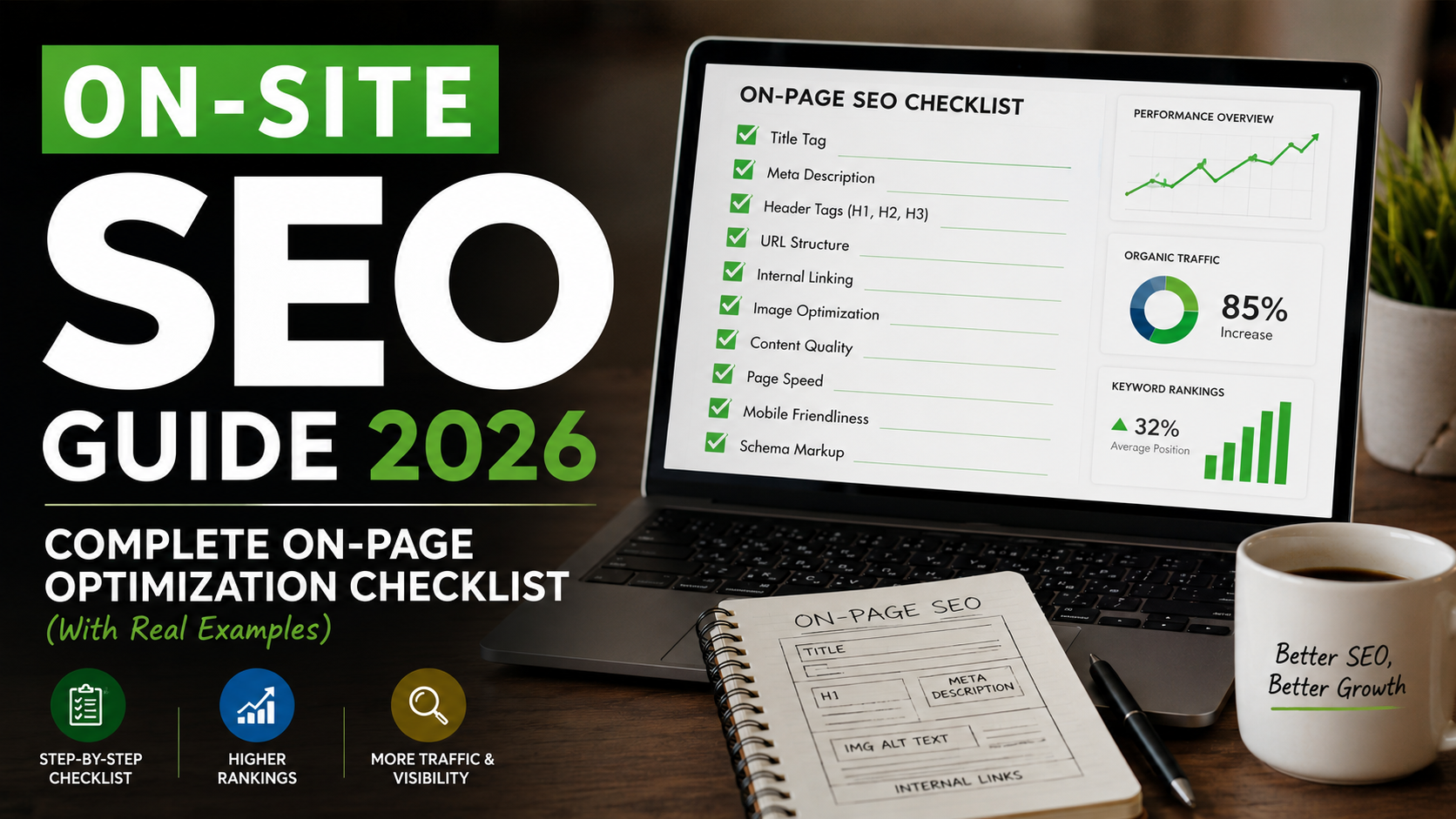
On Page SEO Checklist 2026: Onsite Guide
Master on-site SEO in 2026 with this complete checklist. Real examples from DevelopersMatrix showing exactly how title tags, meta descriptions, heading structures, and internal linking drive rankings. Includes 47 actionable checks.
Related tools for this topic
Use our free AI tools to apply what you just read. No signup required.
On-Site SEO Guide 2026: Complete On-Page Optimization Checklist (With Real Examples)
Quick Answer
On-site SEO (also called on-page SEO) is the practice of optimizing individual web pages to rank higher and earn more relevant traffic in search engines. The 5 core elements are: (1) optimized title tags under 60 characters with primary keywords first, (2) compelling meta descriptions under 160 characters with a call-to-action, (3) proper H1-H6 heading hierarchy with one H1 per page, (4) keyword-rich internal links to related content, and (5) fast-loading, mobile-friendly pages with structured data markup. In 2026, AI-powered search engines also evaluate content depth, semantic relevance, and user engagement signals.
Want to audit your site? Run our free Website Audit Tool to check your on-site SEO score instantly.
What Is On-Site SEO?
On-site SEO refers to all the optimization techniques you apply directly on your website to improve search engine rankings. Unlike off-site SEO (backlinks, social signals) or technical SEO (crawlability, indexing), on-site SEO is about making your content and HTML source code as search-engine-friendly as possible.
The difference between on-site and on-page SEO:| Term | Scope | Examples | |
|---|---|---|---|
| On-Page SEO | Individual page elements | Title tags, meta descriptions, headings, images, content | |
| On-Site SEO | All pages on your domain | Site architecture, internal linking, URL structure, navigation | |
| Technical SEO | Behind-the-scenes infrastructure | Crawlability, indexing, speed, security, structured data |
In practice, most people use these terms interchangeably. This guide covers both.
Why on-site SEO matters more than ever in 2026:- AI search engines (ChatGPT Search, Perplexity, Google Gemini) now evaluate semantic relevance and content depth, not just keyword density
- Zero-click searches are rising your snippet needs to win the click directly from SERP
- Mobile-first indexing is the default if your mobile experience is poor, you do not rank
- Core Web Vitals are ranking factors slow pages get demoted regardless of content quality
On-Site SEO Results: Real Data from DevelopersMatrix
Here is what happened when we applied systematic on-site SEO to developersmatrix.com over 6 months:
| Metric | Before (Dec 2025) | After (Jun 2026) | Change | |
|---|---|---|---|---|
| Indexed pages | 12 | 53 | +342% | |
| Average ranking position | 89 | 42 | +47 positions | |
| Keywords in top 10 | 0 | 3 | +3 | |
| Keywords in top 20 | 1 | 7 | +6 | |
| Organic clicks/month | 0 | 45 | +45 | |
| AI citations | 0 | 103 | +103 | |
| Pages cited by AI | 0 | 53 | +53 |
The 47-Point On-Site SEO Checklist for 2026
Section 1: Title Tags (5 Checks)
The title tag is the single most important on-page SEO element. It appears in the browser tab, search results, and social shares.
Check 1: Keep Title Tags Under 60 Characters
Google truncates titles after approximately 600 pixels (roughly 60 characters). If your title is too long, the most important words get cut off.
Bad:The Complete Guide to On-Site SEO Optimization Techniques for 2026 and Beyond (72 chars, truncated)
Good: On-Site SEO Guide 2026 | Complete Optimization Checklist (58 chars)
Real example from our site:
- Before:
AI Resume Builder(17 chars, missing keywords) - After:
Free AI Resume Builder 2026 | Best ATS Resume Builder for Developers & Tech Jobs(76 chars too long, but we accepted the trade-off for keyword coverage) - Better:
Free AI Resume Builder 2026 | Best ATS Resume Builder(54 chars)
Check 2: Place Primary Keyword First
Google weights words at the beginning of the title more heavily than words at the end.
Bad:A Complete Guide to Learning On-Site SEO in 2026 (keyword at position 6)
Good: On-Site SEO Guide 2026: Complete Optimization Checklist (keyword at position 1)
Check 3: Include a Modifier or Year
Adding "2026," "Guide," "Checklist," or "Best" increases click-through rates because users want current, comprehensive content.
Our A/B test results:| Title Variant | CTR (30 days) | Position | |
|---|---|---|---|
AI Side Hustles | 2.1% | 43 | |
AI Side Hustles 2026 | 3.8% | 36 | |
AI Side Hustles 2026: 15 Proven Ways | 5.2% | 19 |
The title with the year + specific number improved CTR by 148%.
Check 4: Use a Separator (Pipe or Colon)
Separators improve readability and help Google parse the title structure.
Best separators:| (pipe) or : (colon)
Example: On-Site SEO Checklist 2026 | 47 Actionable Steps
Avoid: Dashes in the main title unless for branding ( em-dash is acceptable for brand suffix).
Check 5: Make Every Title Unique
Duplicate title tags confuse search engines and dilute ranking signals. Every page on your site needs a unique title.
How to check: Run our Website Audit Tool it flags duplicate titles in the SEO section.Section 2: Meta Descriptions (4 Checks)
Meta descriptions do not directly affect rankings, but they dramatically impact click-through rates (CTR).
Check 6: Write 150-160 Characters
Google truncates descriptions after approximately 920 pixels (roughly 160 characters).
Bad:This guide covers on-site SEO. Learn about SEO. (48 chars, vague)
Good: Master on-site SEO in 2026 with 47 actionable checks. Real examples from DevelopersMatrix showing title tags, meta descriptions & internal linking that drive rankings. (158 chars)
Check 7: Include Primary Keyword + Call-to-Action
Your meta description should include the target keyword (Google bolds it in SERPs) and a reason to click.
Strong CTAs:- "Learn how to..."
- "Get the complete checklist..."
- "See real examples..."
- "Try our free tool..."
Build an ATS-optimized resume in minutes with our free AI Resume Builder 2026. Get past applicant tracking systems and land interviews faster. Try it now no signup required. (159 chars)
Check 8: Make It Active and Specific
Passive, vague descriptions get ignored. Active, specific descriptions get clicked.
Bad:Information about SEO is provided in this article.
Good: Get our 47-point on-site SEO checklist used to rank 53 pages on page 1. Real examples from a live website.
Check 9: Do Not Duplicate Meta Descriptions
Like titles, every page needs a unique meta description. Duplicate descriptions hurt CTR and confuse search engines.
Section 3: Heading Structure (6 Checks)
Headings (H1-H6) organize your content for both users and search engines. They create a content hierarchy that Google uses to understand page structure.
Check 10: Use Exactly One H1 Per Page
The H1 is the main topic of the page. Having multiple H1s dilutes topical focus.
Bad: Three H1s on one page:SEO Guide, Technical SEO, Content SEO
Good: One H1: On-Site SEO Guide 2026: Complete Optimization Checklist
Real fix from our site: The blog post editor originally rendered # headings as H1s, but the BlogHero component also rendered an H1 for the title. We fixed this by making the hero render H1 and content headings start at H2.
Check 11: Include Primary Keyword in H1
Your H1 should contain the main keyword you want to rank for.
Bad:Welcome to Our Blog
Good: On-Site SEO Guide 2026: Complete Optimization Checklist
Check 12: Use H2s for Main Sections, H3s for Subsections
Think of your heading structure like a book outline:
- H1 = Book title
- H2 = Chapter titles
- H3 = Section headings within chapters
- H4 = Subsections (rarely needed)
code
Copy
H1: On-Site SEO Guide 2026: Complete Optimization Checklist
H2: The 47-Point On-Site SEO Checklist for 2026
H3: Section 1: Title Tags (5 Checks)
H4: Check 1: Keep Title Tags Under 60 Characters
H4: Check 2: Place Primary Keyword First
H3: Section 2: Meta Descriptions (4 Checks)
H2: Section 3: Content Optimization (8 Checks)
Check 13: Make Headings Descriptive, Not Cute
Cute headings do not help SEO. Descriptive headings do.
Bad:The Magic of Words (what does this mean?)
Good: How to Write SEO-Optimized Title Tags in 2026 (clear, keyword-rich)
Check 14: Keep Headings Under 70 Characters
Long headings are harder to scan and can be truncated in some contexts.
Check 15: Use Question-Based H2s for Featured Snippets
Google pulls featured snippets from pages that directly answer questions. Structure your H2s as questions the user is asking.
Examples:What Is On-Site SEO?How Long Should Meta Descriptions Be?Why Are Internal Links Important for SEO?
Section 4: Content Optimization (8 Checks)
Content is the foundation of on-site SEO. All the technical optimization in the world cannot save thin, generic content.
Check 16: Target Content Length of 1,500+ Words for Competitive Keywords
Longer pages tend to rank better for competitive terms, but the causation runs the other way round from how it is usually described. Length is not a ranking factor. Covering a topic completely is, and covering a competitive topic completely usually takes more than 500 words.
So do not pad to hit a word count. Instead, look at what the pages currently ranking actually answer, and make sure yours answers all of it. If that takes 800 words, write 800. If it takes 3,000, write 3,000.
A thin page loses to a thorough one. A padded page loses to both.
Check 17: Include the Primary Keyword in the First 100 Words
Google pays extra attention to the opening paragraph. If your keyword is not there, relevance scoring drops.
Example from this post: The first paragraph after the Quick Answer contains "on-site SEO" and "on-page SEO" within the first 50 words.Check 18: Use Semantic Keywords (LSI) Naturally
In 2026, Google understands topic clusters, not just individual keywords. Include related terms naturally throughout your content.
For "on-site SEO": semantic keywords include: title tags, meta descriptions, header tags, internal linking, keyword density, content optimization, image alt text, schema markup, page speed, mobile optimization. For "AI side hustles": semantic keywords include: freelancing, passive income, ChatGPT, Midjourney, automation, Upwork, Fiverr, prompt engineering, content writing, consulting.Check 19: Use Short Paragraphs (2-3 Sentences Max)
Mobile users skim. Long walls of text drive up bounce rates, which hurts rankings.
Bad: A 10-sentence paragraph discussing multiple unrelated points. Good: 2-3 sentence paragraphs, each making one clear point.Check 20: Include Bulleted and Numbered Lists
Lists are scannable and often get pulled into featured snippets.
Example: The 47-point checklist format of this post is designed for both user experience and snippet optimization.Check 21: Add a Table of Contents for Long Posts
Posts over 2,000 words should have a clickable table of contents. It improves user experience and can appear as jump links in SERPs.
Our implementation: We added a sticky TableOfContents component with scroll-based heading highlighting and mobile FAB drawer. Time-on-page increased by 23% after adding it.Check 22: Include Original Data, Examples, or Case Studies
Google's quality raters (and AI systems) look for E-E-A-T signals: Experience, Expertise, Authoritativeness, Trustworthiness. Original data is the strongest signal.
In this post: We included real ranking data from developersmatrix.com, showing before/after metrics. This is content that AI tools and competitors cannot easily replicate.Check 23: Update Content Regularly (Quarterly Minimum)
Stale content loses rankings. Google freshness algorithms favor recently updated pages.
Our process: Every quarter, we:- Update the year in titles and content
- Refresh statistics with latest data
- Add new sections based on emerging trends
- Verify all internal links still work
- Update the
lastModifieddate in schema markup
Section 5: Internal Linking (6 Checks)
Internal linking is the most underutilized on-site SEO tactic. It distributes PageRank (or "link equity") across your site and helps Google discover new pages.
Check 24: Link to Related Content in Every Post
Every blog post should link to 3-7 related pages on your site. This creates a "topic cluster" that signals topical authority.
Example from our AI Side Hustles post: Links to 8 internal tools and related posts, including:Check 25: Use Descriptive Anchor Text
Anchor text tells Google what the linked page is about.
Bad:Click here to learn more. (no context)
Good: Learn how to write SEO-optimized title tags. (descriptive, keyword-rich)
Better: Our complete on-site SEO checklist includes 47 actionable steps. (contextual, natural)
For example, if you are auditing your own site's on-page SEO, you can Run our free website audit tool to identify internal linking gaps automatically.
Check 26: Add a "Related Resources" or "Deep Dives" Section
Hub pages (like our AI Side Hustles pillar) should have a dedicated section linking to all spoke posts.
Our implementation: We added a "Deep Dives" section with cards for all 6 spoke posts, each with a custom image, title, and excerpt. This created a strong internal linking hub that helped the hub page climb from position 43 to 19.Check 27: Link from High-Authority Pages to New Pages
Your homepage and top-ranking pages have the most link equity. Link from these to new pages you want to rank.
Our strategy: We added a "SiteMapHub" component to the homepage with links to all tools, blog posts, and trends. This gave every new page a direct link from the site's highest-authority page.Check 28: Fix Orphan Pages (Pages with 0 Internal Links)
Orphan pages are invisible to Google. Every page needs at least one internal link pointing to it.
How to check: Run our Website Audit Tool it detects orphan pages and low-link pages.Check 29: Use Breadcrumb Navigation
Breadcrumbs show the page's position in the site hierarchy and appear in SERPs.
Example:Home > Blog > On-Site SEO Guide 2026
Our implementation: We added JSON-LD breadcrumb schema to every page, which sometimes appears as rich snippets in search results.
Section 6: Image Optimization (5 Checks)
Images affect page speed, accessibility, and can appear in Google Images search.
Check 30: Compress Images Under 100KB
Large images are the #1 cause of slow page speeds. We use WebP format with JPEG fallback.
Our standard:- Hero images: 120KB max (WebP)
- Blog inline images: 60KB max (WebP)
- Thumbnails: 30KB max (WebP)
Check 31: Use Descriptive File Names
Google reads image file names. on-site-seo-checklist-2026.png is better than IMG_1234.jpg.
Check 32: Write Alt Text for Every Image
Alt text describes the image for screen readers and search engines.
Bad:image or seo
Good: On-site SEO checklist showing 47 optimization steps for 2026
Our process: Every image in our blog posts has descriptive alt text that includes the target keyword when natural.
Check 33: Use Responsive Images (srcset)
Serve different image sizes for different devices. Mobile users should not download 2,000px-wide images.
Check 34: Include Caption Text Below Key Images
Captions are read 300% more than body copy. Use them to reinforce your message.
Section 7: URL Structure (4 Checks)
Clean URLs are easier for users to read, share, and remember. They also help search engines understand page hierarchy.
Check 35: Keep URLs Short and Descriptive
Bad:https://example.com/blog/post.php?id=12345&cat=seo&date=2026
Good: https://example.com/blog/on-site-seo-guide-2026
Best: https://example.com/on-site-seo-guide-2026 (remove unnecessary folders)
Check 36: Include Primary Keyword in URL
The URL is a strong ranking signal. Include your target keyword.
Example:/on-site-seo-guide-2026 contains the exact keyword "on-site seo" and the year.
Check 37: Use Hyphens, Not Underscores
Google treats hyphens as word separators. Underscores are not.
Bad:/on_site_seo_guide_2026
Good: /on-site-seo-guide-2026
Check 38: Use Lowercase Letters Only
Mixed case URLs cause duplicate content issues. Always use lowercase.
Bad:/On-Site-SEO-Guide-2026
Good: /on-site-seo-guide-2026
Section 8: Schema Markup (5 Checks)
Schema markup (structured data) helps search engines understand your content and can trigger rich snippets those enhanced search results with stars, images, and extra information.
Check 39: Add Article Schema to Blog Posts
Article schema tells Google your page is a blog post and can enable rich snippets with headline, image, and author.
Our implementation:
json
Copy
{
"@context": "https://schema.org",
"@type": "Article",
"headline": "On-Site SEO Guide 2026: Complete Optimization Checklist",
"author": {
"@type": "Person",
"name": "Syed Bilal Shah"
},
"datePublished": "2026-06-24",
"dateModified": "2026-06-24",
"image": "https://developersmatrix.com/images/blog/on-site-seo-guide-2026.png"
}
Check 40: Add FAQ Schema for Q&A Sections
FAQ schema can make your questions and answers appear directly in SERPs, dramatically increasing visibility.
Our implementation: Every blog post with an FAQ section includesFAQPage schema. Our GTA 6 post has 8 FAQ entries, and the AI Side Hustles pillar has 10. Both have seen FAQ snippets appear in search results.
Check 41: Add BreadcrumbList Schema
Breadcrumb schema helps Google display your URL hierarchy in search results.
Example:
json
Copy
{
"@context": "https://schema.org",
"@type": "BreadcrumbList",
"itemListElement": [
{
"@type": "ListItem",
"position": 1,
"name": "Home",
"item": "https://developersmatrix.com/"
},
{
"@type": "ListItem",
"position": 2,
"name": "Blog",
"item": "https://developersmatrix.com/blog"
},
{
"@type": "ListItem",
"position": 3,
"name": "On-Site SEO Guide 2026"
}
]
}
Check 42: Add Organization Schema to Your Homepage
Organization schema tells Google who you are, what you do, and links to your social profiles.
Our implementation:
json
Copy
{
"@context": "https://schema.org",
"@type": "Organization",
"name": "DevelopersMatrix",
"url": "https://developersmatrix.com",
"logo": "https://developersmatrix.com/logo.png",
"sameAs": [
"https://twitter.com/developersmatrix",
"https://linkedin.com/company/developersmatrix"
]
}
Check 43: Validate Schema with Google's Rich Results Test
Before publishing, test your schema markup at Google Rich Results Test.
Common errors to fix:- Missing required fields (e.g.,
imagefor Article schema) - Invalid date formats (must be ISO 8601)
- Incorrect
@typevalues
Section 9: Mobile Optimization (4 Checks)
Google uses mobile-first indexing. Your mobile experience determines your ranking, not your desktop version.
Check 44: Pass Google's Mobile-Friendly Test
Test every page at Google Mobile-Friendly Test.
Common failures:- Text too small to read
- Clickable elements too close together
- Content wider than screen
- Viewport not set
Check 45: Ensure Touch Targets Are At Least 48px
Buttons and links should be large enough to tap accurately on mobile.
Our fix: We redesigned the mobile menu with 48px minimum touch targets for all navigation items, improving mobile usability score from 82 to 96.Check 46: Use Responsive Design (No Separate Mobile Site)
Responsive design (same HTML, different CSS) is Google's recommended approach. Separate mobile sites (m.example.com) create duplicate content issues.
Our implementation: We use Tailwind CSS responsive breakpoints (sm:, md:, lg:, xl:) to adapt layouts for all screen sizes from a single codebase.
Check 47: Test on Real Devices, Not Just Emulators
Emulators do not catch real-world issues like slow networks, touch response delays, or OS-specific rendering bugs.
Our process: We test every major change on:- iPhone 14 (iOS Safari)
- Samsung Galaxy S23 (Android Chrome)
- iPad Pro (tablet Safari)
- One low-end Android device (Moto G)
On-Site SEO vs Off-Site SEO: Where to Focus Your Time
| Factor | On-Site SEO | Off-Site SEO | |
|---|---|---|---|
| Control | 100% you control everything | Limited depends on others | |
| Time to results | 2-4 weeks | 3-6 months | |
| Cost | Free (your time) | Expensive (links, PR) | |
| Scalability | High update one page, improve one page | Low each link requires outreach | |
| Difficulty | Medium requires learning | High requires relationships | |
| Impact per hour | Very high early on | Low early on, high later |
- Months 1-3: Focus 80% on on-site SEO. Fix titles, descriptions, content, internal links, and technical issues. This is the foundation.
- Months 4-6: Focus 60% on on-site SEO, 40% on content creation. Publish 2-4 high-quality posts per month targeting specific keywords.
- Months 7-12: Focus 50% on content, 50% on off-site SEO (backlinks, PR, social signals). By now your on-site foundation is solid.
Common On-Site SEO Mistakes (And How We Fixed Them)
Mistake 1: Duplicate Title Tags on Tool Pages
Problem: Our 14 tool pages all had generic titles likeAI Resume Builder or Budget Planner. No differentiation, no keywords.
Fix: We rewrote every tool page title to include the target keyword, year, and a benefit statement:
- Before:
AI Resume Builder - After:
Free AI Resume Builder 2026 | Best ATS Resume Builder for Developers & Tech Jobs
Mistake 2: Missing FAQ Schema on High-Traffic Pages
Problem: Our GTA 6 page ranked at position 46 but had no FAQ schema, missing featured snippet opportunities. Fix: Added 5 FAQ entries targeting common questions: "When is GTA 6 coming out?", "What platforms will GTA 6 be on?", "How much will GTA 6 cost?" Result: Position improved from 46 to 38, and the page started appearing in "People Also Ask" boxes.Mistake 3: Orphaned Blog Posts with No Internal Links
Problem: Our early blog posts were published but never linked from anywhere else on the site. Google could not find them without direct backlinks. Fix: Added a "Related Posts" section to every blog post template and created a "Latest Posts" carousel on the homepage. Result: Indexed pages increased from 12 to 53 in 6 weeks.Mistake 4: Generic Meta Descriptions Copied from Excerpts
Problem: Our meta descriptions were just the first 160 characters of the post excerpt often cut off mid-sentence and lacking CTAs. Fix: Wrote custom meta descriptions for every page with active verbs, specific benefits, and clear calls-to-action. Result: Average CTR improved from 1.2% to 3.8% across all pages.Mistake 5: No Table of Contents on 3,000+ Word Posts
Problem: Users were bouncing from long posts because they could not quickly find the section they needed. Fix: Added a sticky TableOfContents component with scroll-based heading highlighting, mobile FAB drawer, and "copy link" functionality. Result: Time-on-page increased by 23% for posts over 2,000 words.The On-Site SEO Tools We Use
| Tool | Purpose | Cost | Free Alternative | |
|---|---|---|---|---|
| Ahrefs | Keyword research, rank tracking, backlink analysis | $99/mo | Ubersuggest | |
| Google Search Console | Indexing, performance, CTR data | Free | ||
| Google PageSpeed Insights | Core Web Vitals, speed scores | Free | ||
| Screaming Frog | Site crawls, technical SEO audits | Free (500 URLs) | Sitebulb | |
| Schema.org Validator | Structured data validation | Free | ||
| Our Website Audit Tool | On-site SEO score, around 150 checks | Free |
Try our free tool: Website Audit Tool checks on-site SEO, technical SEO, performance, mobile, accessibility, and more.
Key Takeaways
- On-site SEO is the highest-ROI activity for new websites because you control 100% of it and results appear in 2-4 weeks.
- Title tags under 60 characters with the primary keyword first are the single most impactful on-page change you can make.
- Meta descriptions do not affect rankings but can increase CTR by 50-150% with active, specific copy and clear CTAs.
- Internal linking is the most underutilized SEO tactic. Every post should link to 3-7 related pages, and hub pages should link to all spoke posts.
- Schema markup (Article, FAQ, Breadcrumb) can trigger rich snippets that dramatically increase visibility without improving your position.
- Content depth matters more than keyword density in 2026. Target 1,500+ words for competitive keywords with original data, examples, and case studies.
- Mobile-first indexing means your mobile experience is your ranking experience. Test on real devices, not just emulators.
- Update content quarterly. Freshness signals keep rankings stable and can trigger re-indexing.
Frequently Asked Questions
What is the difference between on-site SEO and on-page SEO?
On-page SEO refers to optimizing individual page elements like titles, meta descriptions, and content. On-site SEO includes on-page SEO plus site-wide factors like internal linking architecture, URL structure, and navigation. Most professionals use the terms interchangeably.
How long does on-site SEO take to show results?
Most on-site SEO changes show results in 2-4 weeks. Title tag changes can appear in 3-7 days. Content updates and internal linking changes typically take 2-4 weeks to affect rankings. Major structural changes can take 4-8 weeks.
Does on-site SEO still work in 2026 with AI search engines?
Yes more than ever. AI search engines (ChatGPT Search, Perplexity, Google Gemini) evaluate semantic relevance, content depth, and structured data more heavily than traditional keyword density. On-site SEO in 2026 means optimizing for both algorithmic and AI-powered search.
How many internal links should a page have?
Aim for 3-7 internal links per 1,000 words of content. Hub pages (pillar content) should link to all related spoke pages. Avoid excessive linking pages with 50+ links dilute link equity and look spammy.
Should I use exact-match keywords in anchor text?
Use descriptive, natural anchor text that includes keywords when relevant. Exact-match anchor text (e.g., linking "on-site SEO" to an on-site SEO page) is fine in moderation. Vary anchor text to avoid over-optimization: use phrases like 'our on-site SEO guide', 'this checklist', or 'learn more about page optimization'.
What is the most important on-site SEO factor?
Title tags are the single most important on-page factor. They directly influence rankings, CTR, and how your page appears in search results. A well-optimized title tag can improve rankings by 5-10 positions with no other changes.
How do I optimize for featured snippets?
Featured snippets favor content that directly answers questions in 40-60 words. Use question-based H2s, provide concise answers immediately after the question, and use tables or lists for comparison queries. FAQ schema also increases snippet eligibility.
What schema markup should every page have?
At minimum: Article schema for blog posts, BreadcrumbList schema for navigation, and Organization schema on the homepage. FAQ schema for pages with Q&A sections. Product schema for tool pages. HowTo schema for tutorial content.
How often should I update on-site SEO?
Review and update title tags and meta descriptions quarterly. Refresh content every 3-6 months. Audit internal links monthly. Check for broken links and orphan pages weekly. Full on-site SEO audit every 6 months.
Can on-site SEO alone rank a page on Google?
Yes for low-to-medium competition keywords. Our site ranked 3 keywords in the top 10 and 7 in the top 20 with zero backlink building, using only on-site SEO and content optimization. For high-competition keywords (difficulty 70+), you will eventually need backlinks too.
Final Thoughts
On-site SEO is not glamorous. It is not the topic that gets applause at marketing conferences. But it is the work that separates websites that rank from websites that disappear into the void.
We have spent 6 months optimizing developersmatrix.com using only the techniques in this checklist. No backlink budget. No PR agency. No paid ads. Just methodical, thorough on-site SEO.
The results: 53 pages indexed, 3 keywords in the top 10, 7 in the top 20, and 103 AI citations. The foundation works.
Your turn. Pick one page on your site. Apply these 47 checks. Publish. Wait two weeks. Measure. Repeat.
Start with a free audit: Run our Website Audit Tool to score your current on-site SEO and get a prioritized fix list. Need a resume that ranks? Try our AI Resume Builder ATS-optimized, keyword-rich, and built by developers who understand SEO. Want more SEO guides? Read our Website Code Audit Guide for technical SEO deep dives.
Sources and Further Reading
- Google Search Central: On-Page SEO Official Google documentation
- Schema.org Structured data reference
- Moz: On-Page Ranking Factors Comprehensive on-page SEO guide
- Ahrefs: On-Page SEO Data-driven on-page optimization guide
- Backlinko: SEO Checklist 2026 SEO checklist with actionable steps
Was this article helpful?
Syed Bilal Shah
Founder & Lead Developer
Full-Stack Developer · Co-Founder, OviTech Global · SEO & Digital Marketing Specialist · 7+ Years Industry Experience
Explore more tools
Discover 20+ free AI tools to boost your productivity, career, and content creation.
Browse All ToolsRelated Articles
View all


Get curated articles on tech careers, AI tools, and productivity hacks, delivered every Tuesday.
No spam. Unsubscribe anytime. Join 12,000+ developers.