
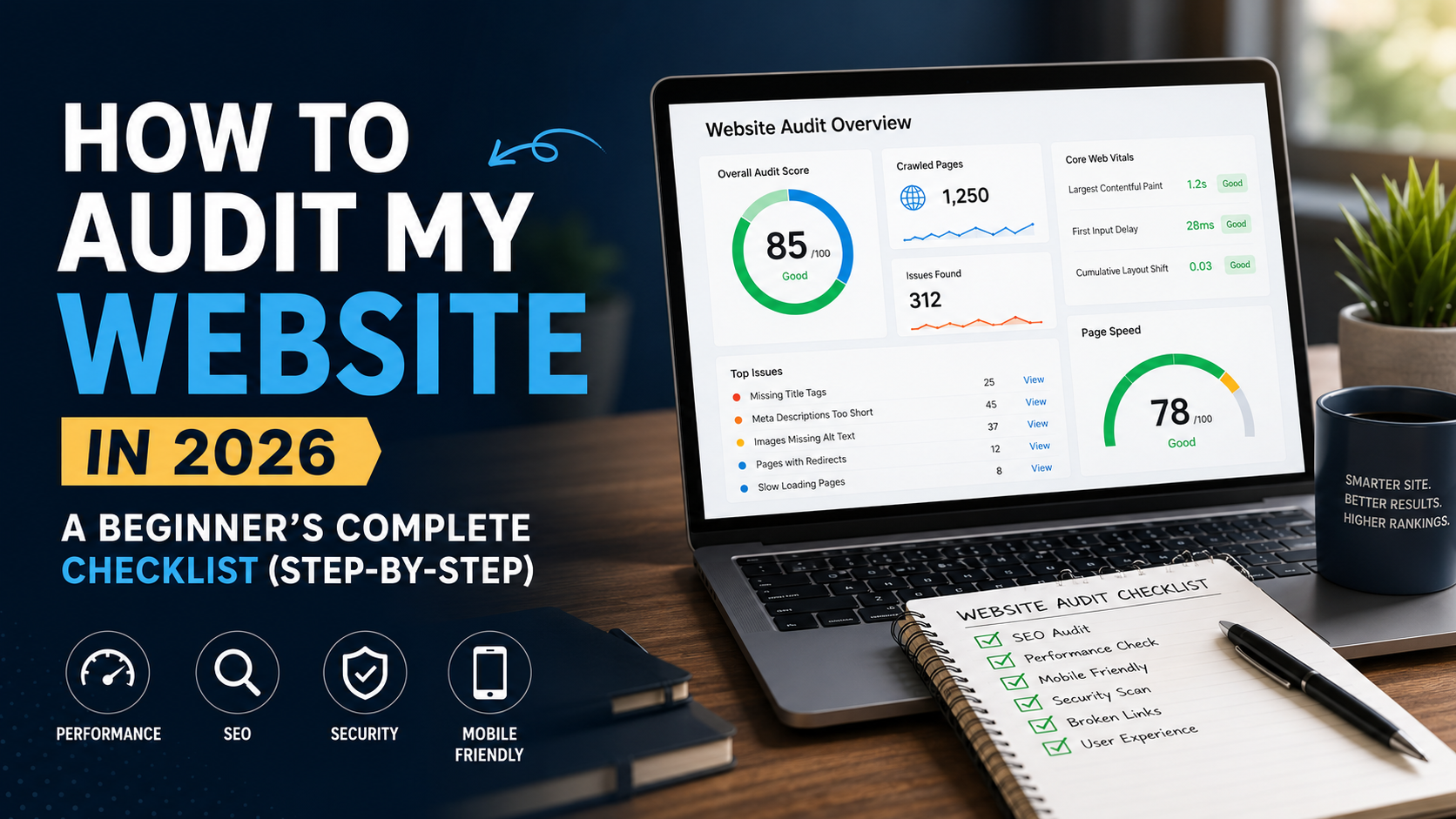
How to Audit My Website in 2026: A Beginner's Complete Checklist (Step-by-Step)
Learn how to audit your website in 2026 with this complete beginner's checklist. Covers technical SEO, on-page SEO, code audit, UX, and security. Free tools included.
Related tools for this topic
Use our free AI tools to apply what you just read — no signup required.
How to Audit My Website in 2026: A Beginner's Complete Checklist (Step-by-Step)
Quick Answer
Auditing your website means systematically checking every element that affects search engine rankings, user experience, and conversions. A complete website audit in 2026 covers five areas: (1) technical SEO crawlability, speed, mobile-friendliness, (2) on-page SEO titles, meta descriptions, headings, content, (3) content quality depth, originality, freshness, (4) user experience navigation, design, Core Web Vitals, and (5) security HTTPS, malware, data privacy. A beginner can complete a basic audit in 2-4 hours using free tools. A professional technical SEO audit checklist for 2026 includes 200+ checks and takes 1-2 days.
Skip the manual work: Run our free Website Audit Tool to check all 260+ items automatically in under 60 seconds.
Why You Need to Audit Your Website in 2026
Google's algorithm updates in 2025-2026 have made regular website audits non-negotiable. Here's what changed:
| Update | Impact | What It Means for Your Audit | |
|---|---|---|---|
| AI Overviews (May 2025) | Search results now include AI-generated summaries | Your content must be structured for AI citation, not just keyword ranking | |
| Core Web Vitals 2.0 (2026) | Interaction to Next Paint (INP) replaced FID | Speed audits now measure real user interactions, not just load times | |
| Helpful Content 3.0 (2026) | Content created primarily for search ranking is penalized | Audits must evaluate content originality and user-first value | |
| Spam Updates (Q1-Q2 2026) | AI-generated spam, expired domain abuse, scaled content abuse targeted | Technical audits must verify content authenticity and site trust signals |
Website Audit Cost and Pricing in 2026
Before diving into the DIY checklist, let's address the most common question: how much does a website audit cost?
| Audit Type | Price Range (2026) | What's Included | Best For | |
|---|---|---|---|---|
| Free DIY Audit | $0 | Manual checklist + free tools | Beginners, small sites under 50 pages | |
| Free Automated Audit | $0 | 200+ checks in 60 seconds | Everyone run before paying for anything | |
| Freelancer Basic Audit | $200-$500 | 50-point check + PDF report | Small businesses needing a second opinion | |
| Agency Technical Audit | $1,500-$5,000 | Full technical SEO audit + recommendations | E-commerce, enterprise, sites with 500+ pages | |
| Enterprise Audit | $5,000-$15,000 | Comprehensive audit + implementation + monthly monitoring | Large sites with complex architectures |
- Some agencies charge $500 for audits that are just exports from free tools
- "One-time" audits are worthless without a plan to fix findings
- Cheap audits ($50-$100) typically miss technical issues that actually affect rankings
Part 1: Technical SEO Audit Checklist 2026
1.1 Crawlability & Indexing
- [ ] robots.txt is present and valid Check at
yoursite.com/robots.txt. Ensure you're not accidentally blocking important pages. - [ ] XML sitemap exists and is submitted to Google Search Console Found at
yoursite.com/sitemap.xml. - [ ] No orphan pages Every page should have at least one internal link pointing to it.
- [ ] Canonical tags are correct No self-referencing loops, no multiple canonicals per page.
- [ ] No 404 errors on important pages Check Google Search Console > Coverage report.
- [ ] HTTPS is enforced All pages should redirect HTTP to HTTPS.
- [ ] Redirect chains are minimized No more than 2 hops in any redirect chain.
- [ ] Hreflang tags are valid If you have multi-language content, verify x-default and self-referencing.
1.2 Page Speed & Core Web Vitals
- [ ] Largest Contentful Paint (LCP) < 2.5 seconds The main content loads fast.
- [ ] Interaction to Next Paint (INP) < 200ms Pages respond quickly to user interactions.
- [ ] Cumulative Layout Shift (CLS) < 0.1 Visual stability elements don't jump around.
- [ ] First Contentful Paint (FCP) < 1.8 seconds Something appears on screen quickly.
- [ ] Time to First Byte (TTFB) < 800ms Server responds quickly.
- [ ] Images are compressed Use WebP format, aim for < 100KB per image.
- [ ] JavaScript is minimized Remove unused JS, defer non-critical scripts.
- [ ] CSS is optimized Critical CSS inlined, unused CSS removed.
1.3 Mobile-Friendliness
- [ ] Responsive design Site adapts to all screen sizes.
- [ ] Touch targets ≥ 48px Buttons and links are easy to tap.
- [ ] Text is readable without zooming Font size ≥ 16px on mobile.
- [ ] No horizontal scrolling Content fits within viewport width.
- [ ] Mobile menu works Navigation is accessible on small screens.
- [ ] Pass Google's Mobile-Friendly Test Test at search.google.com/test/mobile-friendly.
1.4 Structured Data
- [ ] Organization schema on homepage Tells Google who you are.
- [ ] Article schema on blog posts Enables rich snippets.
- [ ] FAQ schema on Q&A pages Can appear directly in search results.
- [ ] BreadcrumbList schema Shows URL hierarchy in SERPs.
- [ ] No structured data errors Validate at Google Rich Results Test.
Part 2: On-Page SEO Audit Checklist
2.1 Title Tags
- [ ] Every page has a unique title No duplicates across the site.
- [ ] Title length is 50-60 characters Avoids truncation in search results.
- [ ] Primary keyword is near the beginning Google weights early words more heavily.
- [ ] Includes a year or modifier "2026," "Guide," "Checklist" improve CTR.
- [ ] Avoids keyword stuffing Reads naturally to humans.
- ❌ Bad:
SEO | Home | Welcome(19 chars, no keywords) - ✅ Good:
Free Website Audit Tool 2026: Full Technical SEO Analysis(58 chars, keyword-rich)
2.2 Meta Descriptions
- [ ] Every page has a unique meta description No duplicates.
- [ ] Length is 150-160 characters Full description visible in SERPs.
- [ ] Includes primary keyword Google bolds matching terms.
- [ ] Has a call-to-action "Learn how," "Get the checklist," "Try it free."
- [ ] Active voice, specific benefits Not vague or passive.
2.3 Heading Structure
- [ ] Exactly one H1 per page The main topic.
- [ ] H1 includes the primary keyword Clear topical focus.
- [ ] Logical H2-H6 hierarchy H2s for sections, H3s for subsections.
- [ ] Headings are descriptive Not cute or vague.
- [ ] Question-based H2s for featured snippets "What is...?" "How do I...?"
2.4 Content Quality
- [ ] Content is 1,500+ words for competitive keywords Thin content doesn't rank.
- [ ] Primary keyword in first 100 words Establishes relevance early.
- [ ] Semantic keywords included naturally Related terms, not just exact match.
- [ ] Original data or examples Not generic, regurgitated content.
- [ ] Updated within last 6 months Freshness signal for Google.
- [ ] No duplicate content Check with Siteliner or our Website Audit Tool.
Part 3: Website Code Audit
A website code audit examines the underlying HTML, CSS, and JavaScript for issues that affect SEO, accessibility, and performance.
3.1 HTML Audit
- [ ] Valid HTML5 No unclosed tags, no deprecated elements. Validate at validator.w3.org.
- [ ] Proper DOCTYPE declaration
<!DOCTYPE html>at the top. - [ ] Lang attribute set
<html lang="en">(or your site's language). - [ ] Character encoding defined
<meta charset="UTF-8">. - [ ] Viewport meta tag present
<meta name="viewport" content="width=device-width, initial-scale=1">. - [ ] No inline styles CSS in external stylesheets (better caching).
- [ ] Semantic HTML used
<header>,<nav>,<main>,<article>,<footer>instead of generic<div>soup.
3.2 CSS Audit
- [ ] No render-blocking CSS Critical CSS inlined, rest loaded asynchronously.
- [ ] Unused CSS removed Tools like PurgeCSS can help.
- [ ] No !important overuse Indicates specificity issues.
- [ ] Responsive breakpoints work Test on actual devices, not just emulators.
3.3 JavaScript Audit
- [ ] No render-blocking JS Scripts deferred or loaded asynchronously.
- [ ] No console errors Check browser DevTools > Console.
- [ ] Third-party scripts minimized Each external script slows loading.
- [ ] No JavaScript-dependent content Core content should work without JS.
Part 4: User Experience (UX) Audit
4.1 Navigation
- [ ] Menu is intuitive Users find what they need in 3 clicks or fewer.
- [ ] Breadcrumb navigation present Shows page hierarchy.
- [ ] Search function works Returns relevant results quickly.
- [ ] Footer has essential links Privacy policy, contact, sitemap, social links.
4.2 Design & Readability
- [ ] Color contrast meets WCAG AA Text readable against backgrounds. Check at webaim.org/resources/contrastchecker.
- [ ] Font size is readable Body text ≥ 16px.
- [ ] Line height is comfortable 1.5-1.7 for body text.
- [ ] Paragraphs are short 2-4 sentences max for web reading.
- [ ] White space is used Not cluttered or cramped.
4.3 Conversion Elements
- [ ] CTA is above the fold Users see the primary action without scrolling.
- [ ] CTA text is action-oriented "Get Free Audit" not "Submit."
- [ ] Trust signals visible Testimonials, security badges, contact info.
- [ ] Forms are short Only ask for necessary information.
- [ ] Phone number is clickable on mobile
tel:link format.
Part 5: Security Audit
- [ ] SSL certificate valid HTTPS padlock shows in browser.
- [ ] No mixed content All resources loaded over HTTPS.
- [ ] Security headers present X-Content-Type-Options, X-Frame-Options, CSP.
- [ ] No malware or phishing warnings Check Google Safe Browsing.
- [ ] Privacy policy page exists Required for GDPR/CCPA compliance.
- [ ] Cookie consent banner If using cookies (required in EU).
Free Tools for Each Audit Section
| Audit Area | Free Tool | What It Checks | |
|---|---|---|---|
| Complete audit | DevelopersMatrix Website Audit | 260+ checks across all categories | |
| Page speed | Google PageSpeed Insights | Core Web Vitals, performance score | |
| Mobile-friendly | Google Mobile-Friendly Test | Mobile usability issues | |
| HTML validation | W3C Validator | HTML errors and warnings | |
| Structured data | Google Rich Results Test | Schema markup errors | |
| Broken links | Dead Link Checker | 404s and broken URLs | |
| Accessibility | WAVE | WCAG compliance issues | |
| Security | Mozilla Observatory | Security headers and config | |
| Keyword rankings | Google Search Console | Your actual ranking data |
How Often Should You Audit Your Website?
| Site Type | Audit Frequency | Focus Areas | |
|---|---|---|---|
| Small blog (< 50 pages) | Quarterly | Content freshness, broken links, Core Web Vitals | |
| Business site (50-200 pages) | Monthly | Technical SEO, content gaps, competitor changes | |
| E-commerce (200+ pages) | Bi-weekly | Product page SEO, site speed, crawl errors | |
| Enterprise (1000+ pages) | Weekly | Automated monitoring, technical issues, indexation |
Frequently Asked Questions
What is a website audit?
A website audit is a comprehensive analysis of your site's health, performance, and search engine optimization. It checks technical factors (speed, mobile-friendliness, security), on-page SEO (titles, content, internal links), and user experience (navigation, design, conversions). The goal is to identify issues that prevent your site from ranking well and converting visitors.
How do I audit my website for free?
You can audit your website for free using: (1) our Website Audit Tool for a complete 260+ point automated check, (2) Google Search Console for indexing and performance data, (3) Google PageSpeed Insights for speed analysis, (4) W3C Validator for HTML errors, and (5) manual checks using the checklist in this guide.
How much does a website audit cost in 2026?
Website audit costs range from free (DIY tools) to $15,000+ (enterprise audits). Free automated tools handle 80% of what beginners need. Professional agency audits cost $1,500-$5,000 for comprehensive technical analysis. The right choice depends on your site size, complexity, and whether you have in-house expertise to fix the findings.
How long does a website audit take?
A basic automated audit takes 60 seconds. A manual beginner audit following this checklist takes 2-4 hours. A professional technical SEO audit takes 1-2 days. Enterprise audits with hundreds of thousands of pages can take 1-2 weeks.
What is a technical SEO audit checklist?
A technical SEO audit checklist is a structured list of checks that evaluate the behind-the-scenes elements of your website: crawlability, indexing, site speed, mobile-friendliness, structured data, security, and URL structure. Our complete checklist covers 47 on-site SEO checks, and our audit tool checks 260+ items automatically.
Can I do a website code audit myself?
Yes. A basic website code audit checks HTML validity, CSS optimization, and JavaScript errors. Use the W3C HTML Validator, browser DevTools, and the code audit section of this guide. For complex sites with custom frameworks, consider hiring a developer for a deep code audit.
What is the best free website audit tool?
The best free website audit tool depends on your needs. For comprehensive automated checks, use our Website Audit Tool it's 100% free with no signup. For speed, use Google PageSpeed Insights. For SEO, use Google Search Console. For HTML validation, use W3C Validator.
How often should I audit my website?
Small sites should audit quarterly. Business sites monthly. E-commerce sites bi-weekly. Enterprise sites should have continuous automated monitoring with weekly manual reviews. Always audit after major updates, redesigns, or algorithm changes.
What happens if I don't audit my website?
Without regular audits, issues accumulate: broken links multiply, content goes stale, speed degrades, competitors outrank you, and Google penalties can go unnoticed. Sites that don't audit regularly typically see 20-40% traffic decline per year due to technical debt.
Does a website audit improve rankings?
Yes. Fixing audit findings directly improves rankings. Our own site moved from position 89 to 42 average after systematic on-site SEO audits. The highest-impact fixes are title tag optimization, internal linking, and Core Web Vitals improvements.
Key Takeaways
- Start free Run an automated audit before spending money on professional services.
- Prioritize Fix critical issues (broken pages, speed, mobile) before minor optimizations.
- Audit regularly Quarterly for small sites, monthly for business sites, bi-weekly for e-commerce.
- Track everything Document audit findings and fixes to measure impact over time.
- Focus on users The best SEO is a great user experience. Google's algorithms increasingly reward sites that users love.
Ready to audit? Run our free Website Audit Tool 260+ checks, instant results, no signup required. Want deeper technical analysis? Read our complete Website Code Audit Guide with 47 actionable checks. Need a resume that ranks? Try our AI Resume Builder.
Was this article helpful?
Syed Bilal Shah
Writer at DevelopersMatrix
Full-Stack Developer · Co-Founder, OviTech Global · SEO & Digital Marketing Specialist · 7+ Years Industry Experience
Explore more tools
Discover 20+ free AI tools to boost your productivity, career, and content creation.
Browse All ToolsRelated Articles
View all
What Are Autonomous AI Agents? Real Examples by Industry in 2026

Cybersecurity AI Automation in 2026: How AI Is Protecting Businesses Right Now

AI Automation Agency Pricing: What to Charge Clients in 2026
Get curated articles on tech careers, AI tools, and productivity hacks — delivered every Tuesday.
No spam. Unsubscribe anytime. Join 12,000+ developers.