
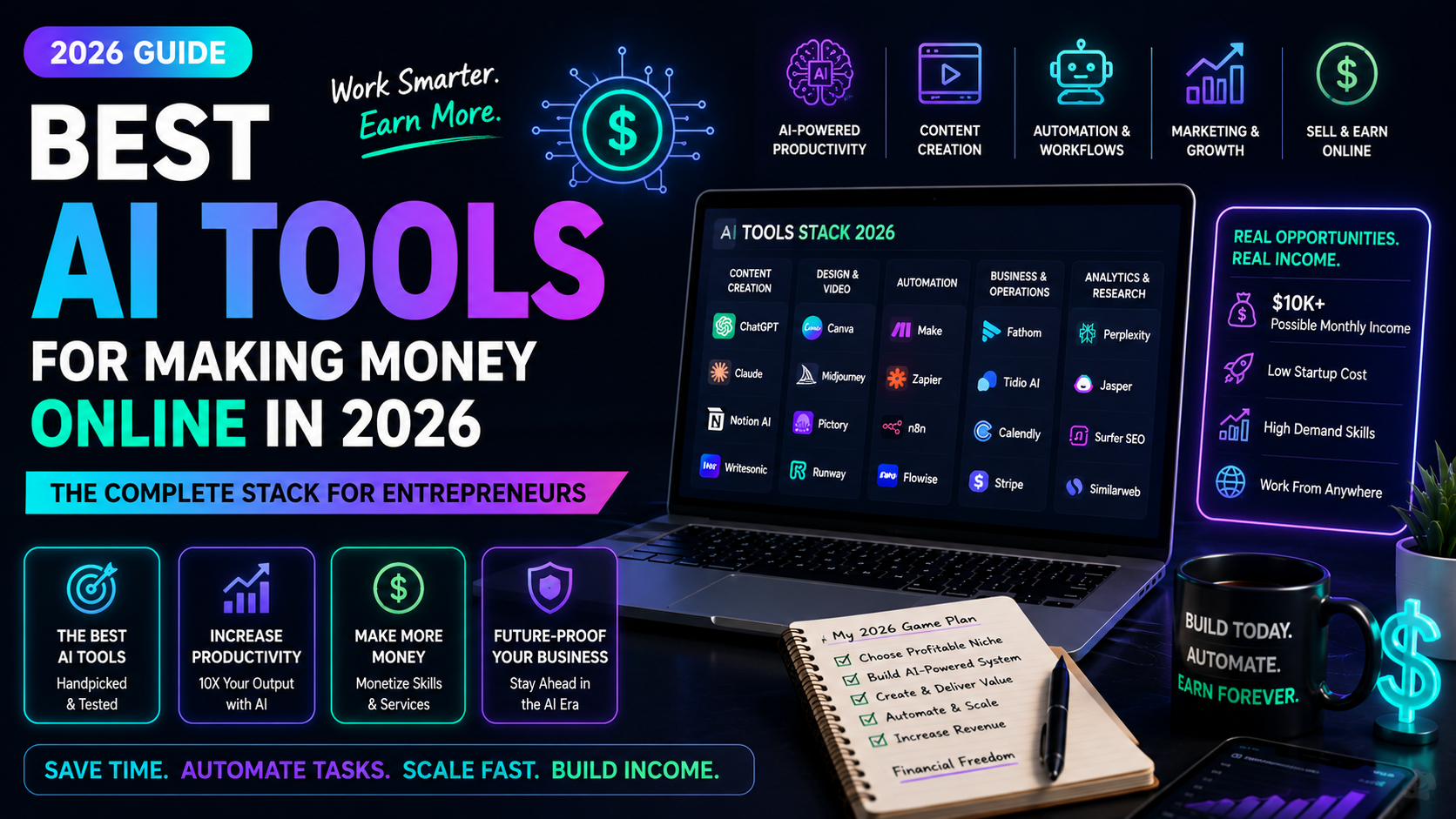
Best AI Tools to Make Money Online in 2026
Discover the best AI tools for making money online in 2026. Essential free tools, income accelerators, and advanced multipliers with real pricing, ROI data, and stack recommendations by income goal.
Related tools for this topic
Use our free AI tools to apply what you just read. No signup required.
Best AI Tools for Making Money Online in 2026: The Complete Stack for Entrepreneurs
Quick Answer
The best AI tools for making money online in 2026 are ChatGPT (writing, research, coding), Claude (long-form content, analysis), Midjourney (visuals, e-commerce), Zapier (automation, workflows), ElevenLabs (voiceover, audio), Canva (design, social media), and Botpress (chatbots, customer service). Freelancers who use AI in their work earn roughly 34 percent more per hour than those who do not, based on Upwork's Future Workforce Index 2026. The recommended starter stack costs $0-$70/month and can scale to $5,000-$15,000/month in income within 6-12 months.
Build your income stack: Use our AI Startup Idea Generator to find the perfect tool combination for your niche.
Why AI Tools Are the Foundation of Online Income in 2026
The difference between earning $500/month and $5,000/month online often comes down to one factor: the tools you use. In 2026, AI tools have become the force multiplier that separates hobbyists from professionals.
| Statistic | Value | Source | |
|---|---|---|---|
| Hourly earnings premium for freelancers using AI | 34% | Upwork Future Workforce Index 2026 | |
| SMB employees using AI daily | 30% | Business.com, 2026 SMB AI Outlook | |
| Average time saved per week with AI tools | 5.6 hours | Business.com, 2026 SMB AI Outlook | |
| Global AI market size, 2026 | $539 billion | Grand View Research | |
| Organisations using AI in at least one function | 88% | McKinsey, The State of AI 2026 |
AI Tools vs Traditional Tools for Online Income
| Factor | AI Tools | Traditional Tools | |
|---|---|---|---|
| Output Speed | 3-5x faster | Baseline | |
| Quality Potential | Higher (AI + human refinement) | Baseline | |
| Learning Curve | 1-2 weeks | 3-6 months | |
| Monthly Cost | $0-$150 | $50-$500 | |
| Scalability | High (automated output) | Low (manual work) | |
| Income Ceiling | $10,000-$20,000/month | $5,000-$10,000/month | |
| Skill Barrier | Lower (AI augments ability) | Higher (pure expertise) | |
| Update Frequency | Weekly improvements | Annual releases |
The Complete AI Tool Stack for Online Income: 2026 Edition
Tier 1: Essential Foundation (Free-$50/month)
These are the non-negotiable tools that every online earner should have in their stack.
1. ChatGPT (OpenAI)
Best for: Writing, research, coding assistance, brainstorming, analysis Monthly Cost: $20/month (Plus) or $0 (free tier) Why it is essential: ChatGPT is the Swiss Army knife of AI tools. It drafts content, writes code, researches topics, and analyzes data. It is the starting point for most AI-enhanced work. Income applications:- Content writing: Draft blog posts, emails, social media in minutes
- Research: Summarize reports, extract insights, find sources
- Coding: Write scripts, debug code, build simple applications
- Brainstorming: Generate business ideas, marketing angles, product names
- Analysis: Interpret data, calculate metrics, compare options
- Use custom GPTs for repetitive tasks (e.g., a "Blog Post Writer" GPT with your style guidelines)
- Combine with web browsing for real-time research
- Use the code interpreter for data analysis and visualization
Tool recommendation: Practice your prompting skills with our AI Prompt Library.
2. Claude (Anthropic)
Best for: Long-form writing, complex reasoning, detailed analysis, document processing Monthly Cost: $20/month (Pro) or $0 (free tier) Why it is essential: Claude excels at tasks requiring nuance, context, and longer outputs. It is particularly strong for writing, analysis, and working with uploaded documents. Income applications:- Long-form content: E-books, whitepapers, detailed guides
- Document analysis: Extract insights from PDFs, contracts, reports
- Complex reasoning: Business strategy, financial analysis, decision frameworks
- Creative writing: Scripts, stories, marketing narratives
- Coding: Write, review, and debug code with detailed explanations
- Use Claude for tasks where ChatGPT's responses feel too generic
- Upload documents directly for analysis and summarization
- Use Claude's longer context window for comprehensive projects
3. Canva
Best for: Visual design, social media graphics, presentations, marketing materials Monthly Cost: Free (Pro is $13/month) Why it is essential: Canva democratizes design. With AI-powered features like Magic Write, background removal, and image generation, non-designers can create professional visuals. Income applications:- Social media management: Create 30 posts in an hour for clients
- Marketing materials: Design flyers, brochures, ads for local businesses
- Presentations: Build pitch decks for consultants and agencies
- E-commerce: Create product mockups, listing images, banners
- Branding: Design logos, color palettes, brand guidelines
- Use Canva's Magic Resize to create multiple format versions instantly
- Build templates for recurring client work to speed up delivery
- Use the AI image generator for quick mockups and concepts
4. Notion
Best for: Organization, project management, documentation, client management Monthly Cost: Free (Plus is $10/month) Why it is essential: Notion is the operating system for your online business. It manages projects, documents processes, tracks clients, and serves as a knowledge base. Income applications:- Client management: Track projects, deadlines, communications
- Process documentation: Build standard operating procedures (SOPs)
- Content planning: Editorial calendars, content pipelines
- Portfolio: Showcase work samples and case studies
- Knowledge base: Store prompts, templates, and best practices
- Use Notion AI for quick summaries and content generation within your workspace
- Build a client portal template that you reuse for every client
- Create a "Command Center" dashboard for your entire business
Tier 2: Income Accelerators ($20-$100/month)
These tools directly enable specific income streams and pay for themselves quickly.
5. Midjourney
Best for: Image generation, product mockups, marketing visuals, creative assets Monthly Cost: $30-$60/month Why it accelerates income: Midjourney creates stunning, production-quality images in seconds. For e-commerce, marketing, and creative services, it replaces expensive photography and design work. Income applications:- E-commerce product images: Generate lifestyle shots without a studio
- Marketing campaigns: Create hero images, banners, ads
- Social media content: Unique visuals that stand out from stock photos
- Book covers: Design professional covers for self-published authors
- Print-on-demand: Generate designs for t-shirts, mugs, posters
- Learn prompt engineering specific to Midjourney for consistent style
- Use the --style parameter for brand consistency across images
- Combine with Photoshop for final refinements on commercial work
6. Zapier
Best for: Automation, workflow integration, connecting apps, eliminating manual work Monthly Cost: Free (Starter is $20/month) Why it accelerates income: Zapier automates the repetitive tasks that eat up 30-40% of your workday. For service businesses, this means serving more clients in less time. Income applications:- Lead management: Auto-add form submissions to CRM and email sequences
- Content distribution: Post to multiple social platforms simultaneously
- Invoicing: Generate invoices automatically when projects complete
- Client onboarding: Send welcome packets, contracts, and intake forms automatically
- Reporting: Pull data from multiple sources into weekly summary emails
- Start with 5-zap free tier, upgrade when you hit the limit
- Use Webhooks by Zapier for custom integrations
- Build "zap templates" for common client workflows that you reuse
7. ElevenLabs
Best for: Voiceover, audiobook creation, podcast production, voice cloning Monthly Cost: $5-$22/month Why it accelerates income: Professional voiceover work costs $200-$500 per hour. ElevenLabs produces comparable quality at $5-$22/month. This opens the voiceover market to non-actors. Income applications:- YouTube voiceovers: Narrate videos without recording equipment
- Audiobooks: Convert written content into audiobooks for sale
- Podcast production: Create intros, ads, and segments
- E-learning: Voice course content for online education
- Accessibility: Add voice to client websites and apps
- Use the voice cloning feature for consistent brand voice across projects
- Adjust stability and clarity settings for different content types
- Combine with Descript for full audio editing and production
8. Botpress / Voiceflow
Best for: Chatbot development, customer service automation, lead capture Monthly Cost: Free (Botpress) or $50/month (Voiceflow) Why it accelerates income: Chatbots sell for $1,000-$5,000 setup + $200-$500/month. These platforms let you build and deploy them without coding. Income applications:- Local business chatbots: Book appointments, answer FAQs, capture leads
- E-commerce support: Handle order tracking, returns, and product questions
- Lead qualification: Pre-qualify prospects before human sales contact
- Internal tools: Build HR bots, IT helpdesk bots, training bots
- Agency services: Offer chatbot development as a service to clients
- Start with Botpress (free and powerful) for simple bots
- Use Voiceflow for more complex, multi-platform deployments
- Always include handoff to human agents for complex issues
Tier 3: Advanced Income Multipliers ($50-$200/month)
These tools enable higher-income services and scale operations.
9. HeyGen / Synthesia
Best for: AI video creation, explainer videos, personalized video outreach Monthly Cost: $30-$90/month Why it multiplies income: Video content commands premium rates. A 2-minute explainer video costs $2,000-$5,000 from agencies. AI video tools deliver similar quality at $300-$800. Income applications:- Marketing videos: Create product demos, explainers, and ads
- Sales outreach: Generate personalized video messages at scale
- Course content: Produce video lessons without filming equipment
- Social media: Create consistent video content for multiple platforms
- Client services: Offer video production to businesses
10. Make (Integromat)
Best for: Advanced automation, complex workflows, data transformation Monthly Cost: Free (Core is $9/month) Why it multiplies income: Make is Zapier's more powerful cousin. It handles complex logic, data transformation, and conditional workflows that Zapier cannot. Income applications:- Advanced client automations: Multi-step workflows with conditional logic
- Data processing: Transform, filter, and route data between systems
- API integrations: Connect custom applications and databases
- Business intelligence: Build automated reporting and dashboards
- Agency operations: Automate your own agency's internal processes
11. Perplexity AI
Best for: Research, fact-checking, source verification, deep dives Monthly Cost: $20/month (Pro) or $0 (free tier) Why it multiplies income: Perplexity provides cited, sourced answers. For research-heavy services (consulting, content creation, analysis), it cuts research time by 70% while improving accuracy. Income applications:- Research services: Generate cited reports for clients in minutes
- Content creation: Fact-check articles and find authoritative sources
- Consulting: Research industry trends, competitor analysis, market data
- Due diligence: Verify claims, check sources, validate data
- Academic work: Find papers, summarize research, check citations
12. Julius AI
Best for: Data analysis, visualization, statistical modeling Monthly Cost: $20/month (Pro) or $0 (free tier) Why it multiplies income: Data analysis is a high-value skill. Julius AI makes it accessible to non-coders while still commanding premium rates ($500-$2,000 per analysis). Income applications:- Business analysis: Analyze sales data, customer behavior, marketing metrics
- Financial modeling: Build projections, scenario analysis, dashboards
- Research: Process survey data, experimental results, observational data
- Visualization: Create charts, graphs, and interactive dashboards
- Reporting: Generate automated analysis reports for clients
Building Your AI Tool Stack: A 3-Phase Approach
Phase 1: Foundation (Month 1) $0-$20/month
Tools: ChatGPT (free), Claude (free), Canva (free), Notion (free), Zapier (free) Goal: Learn the basics, complete 3 sample projects, land your first client Focus: Master prompting, build a portfolio, understand one automation platformPhase 2: Acceleration (Month 2-3) $50-$100/month
Add: ChatGPT Plus ($20), Midjourney ($30), ElevenLabs ($5) Goal: Increase output quality and speed, raise rates, add 2-3 more clients Focus: Develop specialized skills (image generation, voiceover, advanced prompting)Phase 3: Multiplication (Month 4-6) $100-$200/month
Add: Botpress/Voiceflow, HeyGen/Synthesia, Make, Perplexity Pro Goal: Offer premium services, build productized offerings, reach $5,000+/month Focus: Build systems, productize services, create repeatable packagesROI Analysis: What You Get for Your AI Tool Investment
| Monthly Tool Cost | Time Saved/Week | Additional Clients/Month | Additional Income/Month | ROI | |
|---|---|---|---|---|---|
| $0 (free tools) | 5 hours | 1 | $500-$1,000 | Infinite | |
| $50 (basic stack) | 15 hours | 2-3 | $1,500-$3,000 | 3,000-6,000% | |
| $100 (pro stack) | 25 hours | 4-5 | $3,000-$6,000 | 3,000-6,000% | |
| $200 (agency stack) | 40 hours | 8-10 | $6,000-$12,000 | 3,000-6,000% |
Tool Selection by Income Goal
| Income Goal | Recommended Stack | Monthly Tool Cost | Timeline | |
|---|---|---|---|---|
| $500/month | ChatGPT, Canva, Notion | $0 | 1-2 months | |
| $1,000/month | + ChatGPT Plus, Zapier | $20 | 2-3 months | |
| $3,000/month | + Midjourney, ElevenLabs | $50 | 3-6 months | |
| $5,000/month | + Botpress, Make, Perplexity | $100 | 6-9 months | |
| $10,000/month | + HeyGen, Julius AI, advanced tools | $150 | 9-12 months |
Key Takeaways
- The essential AI tool stack for online income costs $0-$50/month and includes ChatGPT, Claude, Canva, and Notion.
- Income accelerators ($20-$100/month) like Midjourney, Zapier, and ElevenLabs enable specific high-value services.
- Advanced multipliers ($50-$200/month) like HeyGen, Make, and Julius AI unlock premium services and agency-level operations.
- ROI on AI tools is consistently 3,000-6,000% because every hour saved is an hour you can bill to another client.
- Start with free tools, add paid tools as your income grows, and always upgrade based on ROI, not features.
- The most successful online earners in 2026 use 5-8 AI tools daily, combining them into integrated workflows.
- Master one tool deeply before adding another. A wizard with 3 tools beats a novice with 10.
Frequently Asked Questions
What are the best free AI tools for making money online?
The best free AI tools are ChatGPT (free tier), Claude (free tier), Canva (free), Notion (free), and Zapier (free tier). These five tools alone can support a $1,000-$3,000/month online income without any paid subscriptions. Upgrade to paid tiers only when your income justifies the cost.
Which AI tool has the highest ROI for online income?
ChatGPT Plus ($20/month) has the highest ROI because it is the most versatile tool. It accelerates writing, research, coding, analysis, and brainstorming. For most online earners, ChatGPT Plus pays for itself in the first hour of use.
Do I need to pay for AI tools to make serious money online?
No. Many successful online earners start with entirely free tools and only upgrade when they have consistent income. The free tiers of ChatGPT, Claude, Canva, Notion, and Zapier are sufficient for $1,000-$3,000/month. Paid tools become necessary when you need higher output, faster processing, or specialized features.
What is the best AI tool stack for beginners?
The beginner stack: ChatGPT (free), Canva (free), Notion (free), Google Workspace (free). Total cost: $0. This stack supports content writing, social media management, virtual assistance, and basic design work. Add paid tools as you grow.
How many AI tools should I use daily?
Start with 3-4 core tools. Master them completely before adding more. Most $5,000+/month earners use 5-8 tools daily, but they are experts in each one. Quality of use beats quantity of tools.
Can I use AI tools for client work without disclosure?
Ethically, you should disclose that you use AI as a productivity tool. Clients care about results and quality, not the specific tools used. Always fact-check AI output and add human refinement. Never claim AI-generated work is entirely human-created.
What is the difference between ChatGPT and Claude for income generation?
ChatGPT is better for coding, web browsing, and interactive tasks. Claude is better for long-form writing, document analysis, and nuanced reasoning. Most successful earners use both for different tasks. ChatGPT for technical work, Claude for creative and analytical work.
Are there AI tools specifically for e-commerce income?
Yes. The e-commerce stack includes: Midjourney (product images), Canva (marketing visuals), ChatGPT (product descriptions, ads), Zapier (order automation), and Shopify AI (store optimization). These tools can reduce e-commerce operational costs by 30-50%.
How do I learn to use AI tools effectively?
- Practice daily for 30 minutes
- Follow prompting guides and tutorials
- Build real projects, not just test prompts
- Join communities (Reddit, Discord, LinkedIn) for tips
- Document your best prompts and workflows
Can AI tools replace my need to learn skills?
No. AI tools amplify skills, they do not replace them. The highest earners combine deep domain expertise with AI fluency. A skilled writer with AI tools earns 3x more than a novice with the same tools. Learn your craft, then use AI to scale it.
Sources and Further Reading
- Upwork Future Workforce Index 2026 - AI tool usage and earnings data
- Business.com 2026 Small Business AI Outlook - Productivity and time saved data
- McKinsey: The State of AI in 2026 - AI tool usage across professions
- Stanford HAI 2026 AI Index Report - Enterprise AI spending and market size
Want more AI income opportunities? Explore our complete guide to AI Side Hustles 2026 for 15 proven methods with real income data, comparison tables, and beginner-friendly options.
Final Thoughts
AI tools are not a magic shortcut to wealth. They are a multiplier of effort and expertise. A person with strong skills and no AI tools will outperform a person with AI tools and no skills. But a person with strong skills AND AI tools will outperform everyone.
The question is not whether you can afford $50/month for AI tools. The question is whether you can afford NOT to use them when your competitors are.
Start with the free tier. Master the basics. Add tools as your income grows. Build systems that combine multiple tools into seamless workflows. The competitive advantage goes to those who integrate AI deeply, not those who dabble superficially.
Ready to build your stack? Generate your specific tool combination with our AI Startup Idea Generator. Plan your tool budget: Use our Budget Planner to model your AI tool investment against projected income. Test your skills: Practice with our AI Interview Simulator to prepare for client conversations about AI tools.
Frequently Asked Questions
Q: Should I use free or paid AI tools to make money online?
Start with free tools. ChatGPT free tier, Claude free tier, Canva free, Notion free, and Zapier free tier can support $1,000-$3,000 per month in income without spending a dollar. Upgrade to paid tiers only when your consistent income justifies the cost. ChatGPT Plus at $20 per month pays for itself within the first hour of use for most earners. The rule is simple: free tools until you hit $1,000 per month, then add paid tools based on ROI.
Q: What is the best AI tool for beginners who want to make money?
ChatGPT is the best starting tool for beginners because of its unmatched versatility across writing, coding, research, and analysis. It handles more income-generating tasks than any other single tool. For beginners focused on visual content, Canva is the easiest design tool to learn. For organization and project management, Notion is essential. Master ChatGPT first, then add one specialized tool every two to three weeks as your income grows.
Q: Which is better for making money: ChatGPT or Claude?
ChatGPT wins for coding, web browsing, interactive tasks, and plugin ecosystem. Claude wins for long-form writing, document analysis, nuanced reasoning, and working with uploaded files. In 2026, most successful earners use both: ChatGPT for technical work, brainstorming, and coding, Claude for e-books, whitepapers, detailed reports, and client document review. If you can only afford one, choose ChatGPT for broader versatility. If writing is your primary income method, Claude may deliver better output quality.
Q: What are the best AI automation tools for online income?
Zapier and Make are the two leading automation platforms in 2026. Zapier is easier to learn with 5,000-plus app integrations and a generous free tier. Make handles more complex workflows with conditional logic and data transformation at a lower price point. For chatbot automation, Botpress offers a powerful free tier while Voiceflow excels at multi-platform deployments. These tools eliminate 30-40 percent of repetitive manual work, allowing you to serve more clients in less time.
Q: Which AI content tools deliver the highest ROI in 2026?
ChatGPT Plus delivers the highest ROI at $20 per month because it accelerates writing, research, coding, and analysis across every income method. Perplexity AI Pro at $20 per month is the top choice for research-heavy services, cutting research time by 70 percent while providing cited sources. ElevenLabs at $5-$22 per month unlocks voiceover income, replacing $200-$500 per hour professional voice work. For social media content, Canva's free tier handles most design needs with AI-powered Magic Write and background removal.
Q: What AI design tools should I use to make money?
Canva remains the best all-around design tool for social media graphics, marketing materials, and presentations, with a robust free tier. Midjourney at $30-$60 per month is essential for e-commerce product images, book covers, and print-on-demand designs. For quick mockups and concept work, Canva's built-in AI image generator is sufficient. Professional designers often combine Midjourney for generation with Photoshop for final refinements on commercial projects. Non-designers can start with Canva and add Midjourney when visual quality directly impacts income.
Q: What AI coding tools can help me earn money online?
ChatGPT and Claude are the primary coding assistants in 2026, both capable of writing, debugging, and explaining code in Python, JavaScript, and other languages. GitHub Copilot at $10 per month provides real-time code suggestions within your IDE. For data analysis and visualization, Julius AI at $20 per month makes statistical work accessible to non-coders while commanding $500-$2,000 per analysis. Replit Ghostwriter offers a browser-based coding environment with AI assistance, ideal for quick scripts and automation projects.
Q: How do I stack multiple AI tools for maximum income?
The proven stacking strategy in 2026 is a three-phase approach. Phase one uses free foundation tools: ChatGPT, Canva, Notion, and Zapier free tier. Phase two adds income accelerators: ChatGPT Plus, Midjourney, and ElevenLabs. Phase three adds advanced multipliers: Botpress for chatbots, Make for complex automations, HeyGen for video content, and Perplexity Pro for research. The key is mastering each tool before adding the next. Most $5,000-plus per month earners use five to eight tools daily, integrated into seamless workflows where outputs from one tool feed into another.
Was this article helpful?
Syed Bilal Shah
Writer at DevelopersMatrix
Full-Stack Developer · Co-Founder, OviTech Global · SEO & Digital Marketing Specialist · 7+ Years Industry Experience
Explore more tools
Discover 20+ free AI tools to boost your productivity, career, and content creation.
Browse All ToolsRelated Articles
View all


Get curated articles on tech careers, AI tools, and productivity hacks, delivered every Tuesday.
No spam. Unsubscribe anytime. Join 12,000+ developers.